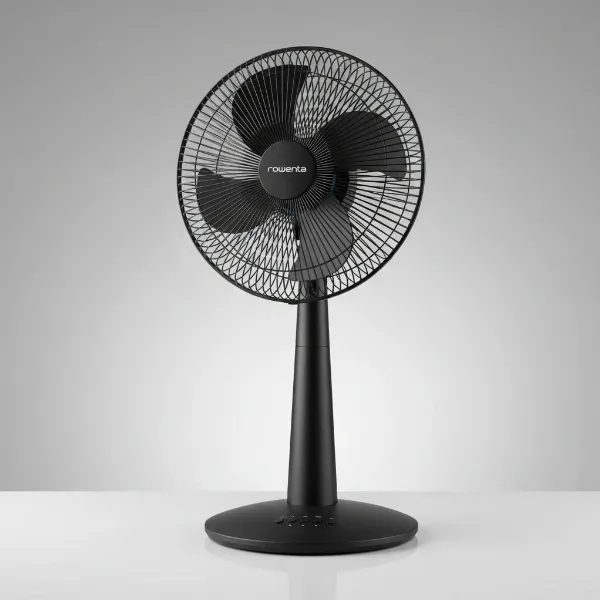
Few things are as frustrating as reaching for your trusty electric fan on a warm day, only to discover a broken blade. Perhaps it was an accidental bump, a curious pet, or simply the wear and tear of time. Your immediate thought might be, “Can I fix this?” followed closely by, “Is it even safe to use it if I do?” As an Admin of electricfanatic.com with over a decade of hands-on experience, I’m here to guide you through the intricacies of fan blade repair and, more importantly, the critical safety considerations.
Understanding Your Fan Blade: Types and Common Damages
Before we dive into repairs, it’s essential to understand the different types of fan blades and how they typically get damaged. Most household fans feature blades made from either plastic, metal, or, for ceiling fans, often wood or composite materials.
Common culprits behind a broken fan blade include:
- Accidental Impact: A fall, a stray object, or even a child’s toy can easily chip or crack a fan blade, especially plastic ones.
- Material Fatigue: Over extended periods of use, the material of the blade can weaken, leading to stress cracks or breaks.
- Manufacturing Defects: Less common, but sometimes a weak point from production can eventually give way.
- Corrosion: For metal blades, particularly in humid environments, corrosion can weaken the material, leading to breakage.
It’s crucial to differentiate between minor damage, like a small chip or hairline crack, and more severe issues, such as a missing piece, a deeply fractured blade, or a warped shape. This distinction will be the deciding factor in whether repair is a viable, and safe, option.
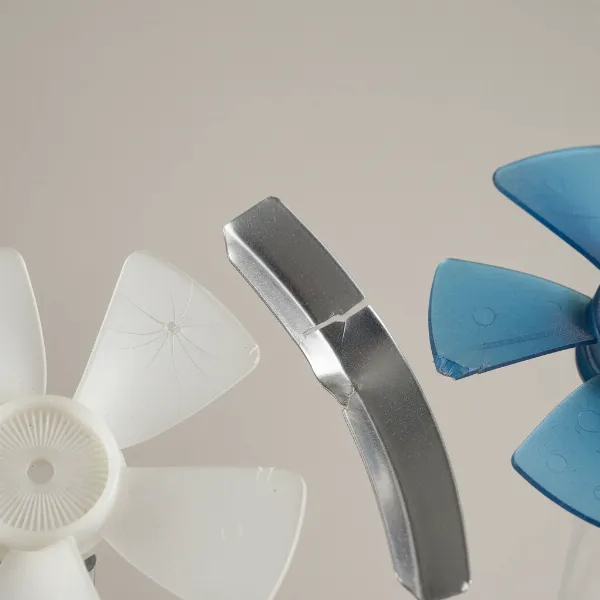 Close-up of different types of electric fan blades showing various damages like cracks and chips.
The Critical Question: Is It Safe to Use a Fan with a Broken Blade?
This is the most important question, and the answer, more often than not, leans heavily towards no. Your fan’s design relies on perfectly balanced blades spinning at high speeds to efficiently move air. When a blade is damaged, that delicate balance is immediately compromised.
Why Safety Comes First
An unbalanced fan blade creates several significant hazards:
- Excessive Vibration and Noise: The most immediate and noticeable effect is a pronounced wobble and increased noise. This isn’t just annoying; it’s a symptom of a deeper problem.
- Accelerated Wear and Tear: The constant vibration puts immense stress on the fan’s motor, bearings, and internal components. This dramatically shortens the lifespan of your fan and can lead to complete motor failure much sooner than expected. Over time, an unbalanced fan can cause the fan bearings to wear out quicker.
- Further Damage: In extreme cases, severe imbalance can lead to the fan moving from its position, rattling around, or even causing structural damage to the fan housing itself. For instance, a severely unbalanced CPU fan once caused an entire computer case to rattle violently.
- Reduced Performance: A broken or warped blade cannot effectively move air, meaning your fan will be less efficient at cooling, wasting electricity.
- Potential for Injury: While less common for enclosed fans, an exposed, rapidly spinning, damaged blade can pose a physical hazard if parts break off or if the fan itself becomes unstable. Furthermore, if any safety covers are compromised due to vibration, the risk of injury from direct contact with the blades increases significantly. Using a fan without its safety cover, especially after a repair, is extremely dangerous and should never be done.
|
Our Picks for the Best Electric fan in 2026
As an Amazon Associate I earn from qualifying purchases.
|
||
| Num | Product | Action |
|---|---|---|
| 1 | Dreo Fan for Bedroom, 120° Oscillating Standing Fan, Quiet Floor Fan with DC Motor, Pedestal Fan for Room, 9 Speeds, 4 modes, 20dB, 120° Manual Vertical, 37-42" Adjustable Height, 9H Timer, Black |

|
| 2 | Lasko 2520 Oscillating Stand Fan,White 16 Inch |
|
| 3 | XPOWER FC-100S Multipurpose 11 Pro Air Circulator Utility Fan with Oscillating Feature |
|
| 4 | 10" Modern Standing Fan for Bedroom, Sleek Oscillating Pedestal Fan, 3-Speed & Height Adjustable Compact Floor Fan for Home Office & Dorm |
|
| 5 | Dreo Tower Fan for Bedroom, 25ft/s Velocity Quiet Floor Fan, 90° Oscillating Fans for Indoors with 4 Speeds, 4 Modes, 8H Timer, Standing Fans, Bladeless Fan, Black, Nomad One (DR-HTF007) |
|
| 6 | Amazon Basics Air Circulator Fan, Desk Fan for Bedroom, Home and Office, With 90-Degree Tilt Head, 3 Speed Settings, Lightweight (3 LBS), 35 Watts, Black, 11.1"W x 6.3"D x 10.9"H |
|
| 7 | Amazon Basics 16" Pedestal Fan with Remote, Floor Fan, Standing Fan for Bedroom, Living Room, Office, with 3 Speeds, 3 Modes, Timer, Dual-Layered Blades, Adjustable Height, Tilt Head, 60W, Black |
|
| 8 | LEVOIT Tower Fan for Bedroom, 25ft/s Velocity Standing Fan with 28dB Quiet for Sleep, Remoter, 12H Timer, 5 Speeds, 4 Modes, 90° Oscillation for Home, Office, Indoor, Bladeless 36 inch, White |
|
| 9 | Viniper Portable Rechargeable Fan, Small Desk Fan : 3 Speeds & about 8-24 Hours Longer Working, 180 Rotation, Portable Desktop Fan Small but Mighty, Strong Wind (White, Light Black Blade)6.2 Inch |
|
| 10 | Dreo Fan for Bedroom, 120° Oscillating Standing Fans, Quiet Floor Fan with DC Motor, 100ft Pedestal Fans for Room, 9 Speeds, 4 modes, 20dB, 120° Manual Vertical, 37-42" Adjustable Height, 9H Timer |
|
Generally, if a fan blade is cracked, split, or has pieces entirely broken off, replacement is the only truly safe option. Even for minor repairs, maintaining perfect balance is paramount, and often difficult to achieve at home.
DIY Repair vs. Replacement: What’s Your Best Option?
Deciding whether to repair or replace hinges on the severity of the damage and the type of fan.
When Repair Might Be Possible
For very minor damage, such as a small chip or a hairline crack on a plastic blade, a DIY repair might be attempted with extreme caution and a clear understanding of the risks.
- Adhesive Solutions: For small cracks in plastic blades, a strong adhesive like super glue or a two-part epoxy can be used to reattach chipped pieces. Some creative DIYers even suggest “plastic welding” techniques using a soldering iron and stapler pins to reinforce the bond, embedding the metal pin into the softened plastic across the crack.
- Minor Reshaping: If a plastic blade is slightly bent but not cracked, gentle heat might allow for careful reshaping, but this carries a high risk of further damage or weakening the material.
The absolute critical factor in any repair is ensuring the blade’s weight and shape are restored precisely to maintain balance. Even a slight weight difference can throw the entire fan off. For ceiling fan blade arms (the brackets that connect the blade to the motor housing), if they are bent or worn, metal replacement arms are often available and can be a cost-effective alternative to replacing the entire fan.
“When considering a fan blade repair, remember that safety is not a compromise. An unbalanced fan is a ticking time bomb for your appliance’s motor and potentially a hazard in your home.” – Your Name, Admin, ElectricFanatic.com
When Replacement is Non-Negotiable
For any significant damage, replacement is not just recommended, it’s often the only safe and practical solution.
- Major Breaks or Missing Pieces: If a large section of a blade is gone, or if the blade is broken into multiple pieces, achieving structural integrity and perfect balance through repair is virtually impossible.
- Warped or Heavily Bent Blades: Blades that are no longer straight or have lost their original aerodynamic shape will create significant imbalance and airflow issues.
- Metal Blade Damage: Metal blades, if bent or cracked, are incredibly difficult to repair effectively and safely at home. Any repair could weaken the metal further.
- Difficulty Matching: Finding an exact replacement blade or blade set can sometimes be challenging, especially for older or less common fan models. In such cases, replacing the entire fan might be the most straightforward and safest route. When replacing, ensure the new blades match the original specifications (size, weight, pitch, material) to guarantee proper function and balance.
Step-by-Step Guide to Fan Blade Replacement
When repair isn’t feasible, replacing the blade (or the entire set) is the next step. Always prioritize safety!
Safety First: Preparations Before You Begin
- Disconnect Power: This is paramount. For any fan, unplug it from the wall. For ceiling fans, always switch off the corresponding circuit breaker at your home’s electrical panel. Wait for all motion to cease.
- Gather Tools: You’ll likely need screwdrivers (Phillips and flathead), pliers (especially for stubborn nuts), and potentially a blade balancing kit.
- Clear the Area: Ensure you have enough space to work safely, especially when dealing with larger fans.
Removing the Damaged Blade
The removal process varies slightly depending on the fan type:
- Ceiling Fans: Most ceiling fan blades are attached to a blade iron (or arm) with screws, which then attaches to the motor housing with more screws. Unscrew the blade from the arm, and if necessary, detach the arm from the motor.
- Desk/Pedestal Fans: You’ll usually need to remove the front safety grille first. This often involves twisting it counter-clockwise or unlatching clips. Then, locate the nut in the center of the fan blades, which typically has a reverse thread (meaning you turn it clockwise to loosen). Once the nut is off, the blade assembly can be carefully pulled off the motor shaft.
- Other Fans: Always refer to your fan’s user manual for specific disassembly instructions.
Installing the New Blade(s)
- Attach New Blade(s): For ceiling fans, attach the new blade(s) to the blade irons, then reattach the irons to the motor housing. For desk fans, slide the new blade assembly onto the motor shaft, then tighten the reverse-thread nut (counter-clockwise).
- Secure Fasteners: Ensure all screws and nuts are tightened firmly, but avoid over-tightening, which can strip threads or crack plastic.
- Reassemble Guards: Crucially, reinstall all safety grilles and covers before attempting to power on the fan. Never operate a fan without its protective guards.
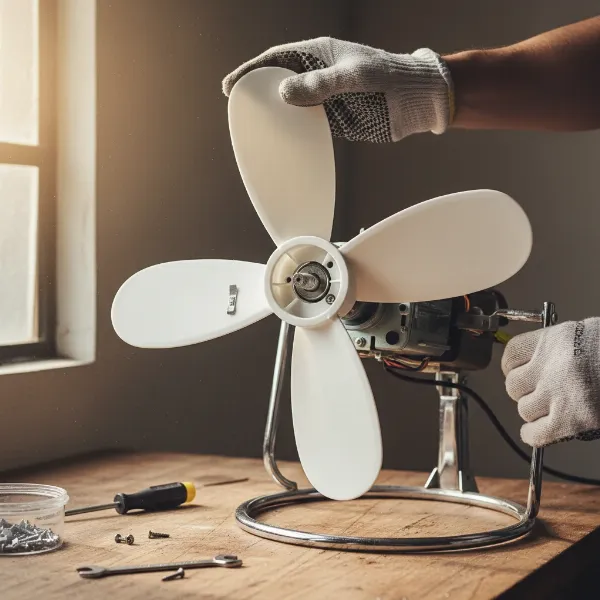 Hands carefully installing a new fan blade onto an electric fan motor shaft.
Balancing Your Fan: A Crucial Step
After replacing a blade, or even an entire set, checking for balance is vital to prevent wobble and extend the fan’s life.
- Ceiling Fan Balancing Kits: These kits typically include weights and clips. You temporarily attach clips to different blades to find the spot that minimizes wobble, then permanently attach a weight at that location.
- Listen and Observe: For smaller fans, run it at various speeds and listen for unusual noises or observe for excessive vibration. If wobbling or noise persists, re-evaluate the installation.
Maintaining Your Fan for Longevity
Proactive maintenance can prevent many blade-related issues.
- Regular Cleaning: Dust and debris buildup on blades can create imbalance and strain the motor. Clean blades regularly with a damp cloth.
- Inspect Periodically: Take a moment every few months to visually inspect blades for any signs of cracks, chips, or warping. Catching minor issues early can prevent major problems.
- Proper Storage: When not in use, store fans in a safe place where they won’t be easily knocked over or have objects fall onto the blades.
Conclusion
Dealing with a broken fan blade can be disheartening, but understanding the options and, most importantly, the safety implications is key. While minor repairs might be attempted in very specific circumstances, the overwhelming recommendation for any significant blade damage is replacement. An unbalanced fan is not just inefficient; it poses a risk to the appliance itself and potentially to your safety. Always prioritize replacement when in doubt, ensuring your electric fan operates smoothly, quietly, and most importantly, safely.
Don’t let a broken blade turn into a bigger headache. Take the right steps, and you’ll be enjoying cool, circulating air once again. What are your biggest concerns about fan safety, or have you had a successful fan repair experience?
Frequently Asked Questions
Can I just break off an opposite blade to balance my fan?
No, intentionally breaking another blade to “balance” the fan is strongly discouraged and unsafe. This will further reduce airflow, potentially create new points of weakness, and still likely result in an unbalanced fan that vibrates excessively, causing more damage to the motor and bearings.
What kind of glue should I use for a plastic fan blade?
For minor cracks or chips in plastic fan blades, a strong, quick-drying adhesive like super glue (cyanoacrylate) or a robust two-part epoxy designed for plastics can be used. However, remember that even a perfectly glued repair might not restore the original balance and structural integrity needed for high-speed rotation.
How much does it cost to replace a fan blade?
The cost of replacing a fan blade varies widely depending on the type of fan (ceiling, desk, industrial), the material (plastic, metal, wood), and whether you need a single blade or a full set. Individual plastic blades can be very inexpensive (under $20), while specialized or larger metal blades can be significantly more. Often, the challenge is finding a matching replacement part.
How do I know if my fan blades are unbalanced?
The most common signs of unbalanced fan blades are excessive wobbling (especially noticeable in ceiling fans), loud rattling or humming noises, and the fan physically moving or “walking” across a surface (for portable fans). If you observe any of these symptoms, turn off your fan and inspect the blades.