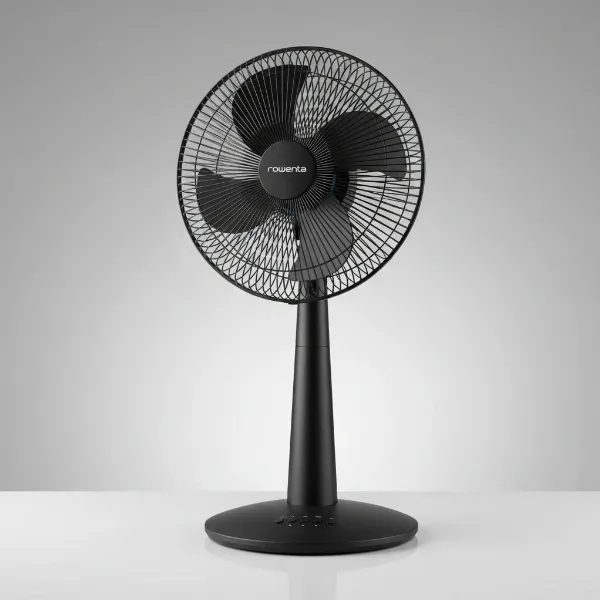
Electric fans are household heroes, providing a refreshing breeze on hot days and helping circulate air year-round. Yet, their efficiency and aesthetic appeal often get marred by an unwelcome adversary: dust. As an Admin of electricfanatic.com and a technician with over a decade of hands-on experience, I understand the frustration of constantly battling dusty fan blades. Not only does a thick layer of dust look unsightly, but it can also hinder your fan’s performance, reduce airflow, and even impact indoor air quality. This guide will equip you with effective strategies to keep your electric fan blades cleaner for longer, ensuring optimal performance and a healthier home environment.
Electric Fans: An Overview and Common Types
Electric fans have evolved significantly since their inception, transforming from basic cooling devices into sophisticated machines. Fundamentally, all fans work by using rotating blades to push air, creating a cooling effect. Understanding the different types can help you identify potential dust-trapping areas and tailor your cleaning approach.
Common electric fan types include:
- Ceiling Fans: Mounted overhead, these fans are excellent for whole-room air circulation. Their elevated position often makes them prone to accumulating a substantial amount of dust, which can then be dispersed throughout the room if not regularly cleaned.
- Pedestal Fans: Versatile and portable, pedestal fans stand on a base and can be easily moved. Their exposed blades require frequent attention.
- Table Fans: Compact and ideal for personal cooling on desks or tables. Due to their proximity to daily activities, they can quickly gather dust, hair, and debris.
- Tower Fans: Known for their sleek, space-saving design, tower fans oscillate to distribute air. Their grilles and internal components can be challenging to clean due to their enclosed nature, making dust accumulation less visible but still problematic.
- Bladeless Fans: These modern fans draw air in and amplify it, expelling a smooth, continuous stream. While they don’t have exposed blades to collect dust, their internal filters and air intakes still require cleaning to prevent dust buildup and maintain efficiency.
Each fan type presents unique challenges and opportunities for dust prevention, with exposed blades on traditional fans being the primary focus for longevity and cleanliness.
Guide to Choosing the Right Electric Fan
While this article focuses on keeping dust off your fan, choosing the right fan can indirectly influence how easily dust accumulates or how simple it is to clean.
Determining Your Needs
Consider these factors, which can also influence dust management:
- Room Size: Larger rooms might require more powerful fans, which can circulate more air and potentially more dust.
- Purpose of Use: Beyond cooling, some fans offer air purification features that can reduce airborne dust.
- Budget: Higher-end fans often feature designs that are easier to disassemble for cleaning or materials that are less prone to static cling.
|
Our Picks for the Best Electric fan in 2026
As an Amazon Associate I earn from qualifying purchases.
|
||
| Num | Product | Action |
|---|---|---|
| 1 | LEVOIT Tower Fan for Bedroom, 25ft/s Velocity Standing Fan with 28dB Quiet for Sleep, Remoter, 12H Timer, 5 Speeds, 4 Modes, 90° Oscillation for Home, Office, Indoor, Bladeless 36 inch, White |

|
| 2 | Dreo Fan for Bedroom, 120° Oscillating Standing Fan, Quiet Floor Fan with DC Motor, Pedestal Fan for Room, 9 Speeds, 4 modes, 20dB, 120° Manual Vertical, 37-42" Adjustable Height, 9H Timer, Black |
|
| 3 | 10" Modern Standing Fan for Bedroom, Sleek Oscillating Pedestal Fan, 3-Speed & Height Adjustable Compact Floor Fan for Home Office & Dorm |
|
| 4 | Dreo Tower Fan for Bedroom, 25ft/s Velocity Quiet Floor Fan, 90° Oscillating Fans for Indoors with 4 Speeds, 4 Modes, 8H Timer, Standing Fans, Bladeless Fan, Black, Nomad One (DR-HTF007) |
|
| 5 | XPOWER FC-100S Multipurpose 11 Pro Air Circulator Utility Fan with Oscillating Feature |
|
| 6 | Dreo Fan for Bedroom, 120° Oscillating Standing Fans, Quiet Floor Fan with DC Motor, 100ft Pedestal Fans for Room, 9 Speeds, 4 modes, 20dB, 120° Manual Vertical, 37-42" Adjustable Height, 9H Timer |
|
| 7 | Lasko 2520 Oscillating Stand Fan,White 16 Inch |
|
| 8 | Viniper Portable Rechargeable Fan, Small Desk Fan : 3 Speeds & about 8-24 Hours Longer Working, 180 Rotation, Portable Desktop Fan Small but Mighty, Strong Wind (White, Light Black Blade)6.2 Inch |
|
| 9 | Amazon Basics Air Circulator Fan, Desk Fan for Bedroom, Home and Office, With 90-Degree Tilt Head, 3 Speed Settings, Lightweight (3 LBS), 35 Watts, Black, 11.1"W x 6.3"D x 10.9"H |
|
| 10 | Amazon Basics 16" Pedestal Fan with Remote, Floor Fan, Standing Fan for Bedroom, Living Room, Office, with 3 Speeds, 3 Modes, Timer, Dual-Layered Blades, Adjustable Height, Tilt Head, 60W, Black |
|
Key Criteria for Selection
When selecting a fan, think about its impact on dust:
- Power and Airflow: Powerful fans move a lot of air, which can stir up dust if not managed. However, good airflow can also help keep dust from settling in the first place.
- Noise Level: While not directly related to dust, a quieter fan might encourage more frequent use, leading to more air circulation and less stagnant dust.
- Features: Look for fans with removable grilles for easy access to blades, or models with anti-dust coatings if available. Remote controls and timers allow for strategic use to minimize dust accumulation.
- Brand and Reliability: Reputable brands often design fans with ease of maintenance in mind.
- Energy Efficiency: Efficient fans often have better-designed blades and motors, which can also contribute to smoother operation and potentially less static attraction of dust.
Comparing Popular Fan Types
Consider how different fan designs affect dust:
- Ceiling Fans vs. Pedestal Fans: Ceiling fans are harder to reach for cleaning, making dust prevention crucial. Pedestal fans are easier to access but equally susceptible to dust.
- Tower Fans vs. Bladeless Fans: Tower and bladeless fans typically enclose their moving parts, making them appear cleaner but often harder to deep-clean. Regular vacuuming of intake vents is key.
“The battle against fan dust starts not just with cleaning, but with smart choices in fan design and proactive room maintenance.” – Jane Doe, Home Maintenance Expert
Tips for Using and Maintaining Your Electric Fan
This is where you’ll find the most impactful strategies for longer dust-free fan blades.
How to Clean Fan Blades Correctly
Regular and effective cleaning is the first line of defense against stubborn dust buildup.
- Frequency: Aim for weekly light dusting for frequently used fans, and a thorough clean monthly or bi-monthly.
- Essential Tools:
- An old pillowcase (especially for ceiling fans)
- Microfiber cloths
- Extendable duster or vacuum cleaner with a brush attachment
- Mild soap and water (for deeper cleaning)
- Screwdriver (if disassembly is required)
- Detailed Cleaning Steps:
- Safety First: Always unplug your electric fan before cleaning. For ceiling fans, ensure the power is off at the wall switch or circuit breaker.
- The Pillowcase Trick (for Ceiling Fans): This hack is a game-changer. Gently slide an old pillowcase over one fan blade. As you pull the pillowcase back, press lightly on both the top and bottom surfaces of the blade. The dust gets trapped inside the pillowcase, preventing it from raining down onto your furniture and floor. Repeat for each blade. Once done, take the pillowcase outside, turn it inside out, shake off the dust, and toss it in the wash.
- For Other Fans:
- Disassemble (if possible): Many pedestal and table fans have removable grilles. Carefully remove the front grille, then unscrew the nut holding the blade assembly. This allows for direct access to clean each blade.
- Wipe Down Blades: Use a damp microfiber cloth to wipe down each blade, removing all accumulated dust. For sticky grime, a cloth lightly dampened with a mild soap-and-water solution works well.
- Clean Grilles: Wash removable grilles with soap and water, then dry thoroughly before reassembling. For non-removable grilles (like on tower fans), use a vacuum cleaner with a brush attachment to suck out dust from the vents, or a compressed air can to blow it out.
- Dry Completely: Ensure all parts are completely dry before reassembling and plugging the fan back in.
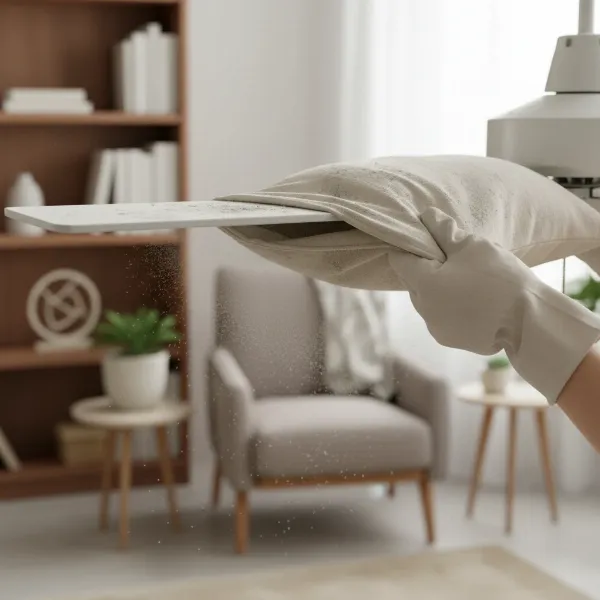 A person demonstrating the pillowcase trick to clean a dusty ceiling fan blade.
Safe and Effective Fan Use
Beyond cleaning, how you use your fan can also influence dust accumulation.
- Optimal Placement: Place fans in areas where they can circulate air efficiently without directly blowing at heavily dusty surfaces (e.g., carpets, open bookshelves). Keep them away from open windows if outside air is dusty.
- Adjust Speed Appropriately: Using a fan on a lower setting might reduce the amount of dust stirred up, but a higher setting can help keep airborne particles moving into air filters. Find a balance.
- Avoid Continuous Use in Dusty Environments: If your room is particularly dusty, address the source of dust (e.g., vacuuming, dusting surfaces) before running the fan for extended periods.
Maintaining Your Fan for Extended Lifespan
Proactive maintenance not only extends your fan’s life but also helps in the fight against dust.
- Apply Dust Repellents: After cleaning, consider wiping fan blades with a dryer sheet. The anti-static properties can help repel dust, making it less likely to stick. Some people also use a light coat of furniture polish to create a slippery surface.
- DIY Dust Repellent: A simple homemade spray can help. Mix half a teaspoon of olive oil, a tablespoon of vinegar, and half a cup of water. Spray a light mist onto a microfiber cloth and wipe the blades after cleaning. This creates a barrier against dust.
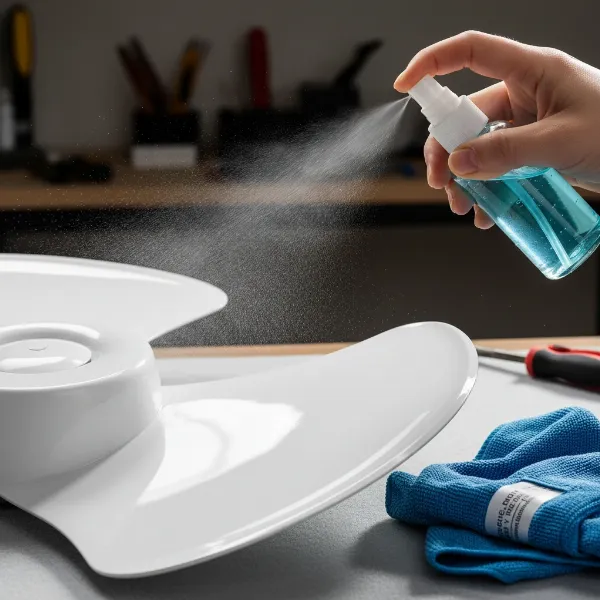 A close-up of a hand spraying DIY dust repellent on a clean electric fan blade.
- Regular Room Cleaning: The most effective way to reduce fan dust is to reduce overall room dust. Regular vacuuming, dusting surfaces, and cleaning air filters (in HVAC systems or air purifiers) will significantly cut down on the amount of dust available to settle on your fan.
- Check for Wear and Tear: Periodically inspect your fan for any loose screws, wobbling blades, or unusual noises. Addressing these promptly ensures efficient operation, which can prevent the fan from working harder and potentially attracting more static dust.
Where to Buy Reliable Electric Fans?
Investing in a well-designed fan can simplify maintenance. You can find reliable electric fans at:
- Appliance Stores: Major retailers like Best Buy, Lowe’s, or Home Depot offer a wide selection and expert advice.
- Hypermarkets: Stores such as Walmart or Target carry a range of affordable and popular models.
- Online Marketplaces: Amazon, eBay, and manufacturer websites provide extensive choices and customer reviews, but always check seller reputation and return policies.
When purchasing, always verify the warranty and check reviews regarding ease of cleaning or disassembly.
Electric Fan Buying Guide
Making an informed decision on a fan can lead to a more dust-friendly experience.
What is Your Budget?
Prices vary widely. Entry-level fans are affordable but might require more frequent cleaning. Mid-range and premium fans often offer better designs, quieter operation, and sometimes features that make cleaning easier, such as quick-release grilles.
What is Your Room Size?
A fan sized appropriately for your room will circulate air effectively without needing to run on maximum power constantly, which can reduce the amount of airborne dust generated by excessive turbulence. For instance, a small desk fan is insufficient for a large living room.
What Features Do You Need?
Consider features that aid in dust control:
- Removable Grilles: Essential for easily accessing and cleaning blades.
- Timer Functions: Allows you to run the fan only when necessary, limiting its exposure to dust.
- Oscillation: Helps distribute air evenly, potentially reducing dust settlement in certain spots.
- Air Purification (for some models): Fans with built-in air filters can actively remove dust from the air, preventing it from settling on the blades.
Conclusion
Keeping your electric fan blades dust-free for longer is a combination of smart cleaning techniques, proactive prevention, and general household cleanliness. By regularly wiping down blades with anti-static agents like dryer sheets or furniture polish, utilizing the effective pillowcase method, and maintaining a dust-reduced environment, you can ensure your electric fan operates at its peak, delivering clean, refreshing air. Remember, a little effort goes a long way in preserving your fan’s efficiency and extending its lifespan. What’s your go-to trick for keeping dust off your electric fan blades?
Frequently Asked Questions
Why do fan blades attract so much dust?
Fan blades accumulate dust primarily due to static electricity generated by their rotation and air friction. This static charge acts like a magnet, drawing airborne dust particles directly onto the blade surfaces, especially on the leading edges.
Can dust on fan blades affect air quality?
Yes, a significant buildup of dust on fan blades can negatively impact indoor air quality. As the fan operates, it can disperse accumulated dust, allergens, and other microscopic particles back into the air, potentially triggering allergies or respiratory sensitivities.
Is there a specific type of fan material that attracts less dust?
While all fan blade materials can attract dust, smoother, less porous materials like polished metal or certain plastics might be slightly easier to clean. Materials treated with anti-static coatings could also help, but such treatments are not standard on most consumer fans.
How often should I clean my electric fan blades?
For optimal performance and air quality, it’s recommended to dust your Electric Fan blades at least once a week if used frequently. A more thorough cleaning, possibly involving disassembly and washing, should be done monthly or bi-monthly, depending on dust levels in your home.
Are there commercial products designed to repel dust from fan blades?
Yes, some commercial anti-static sprays or furniture polishes can help repel dust when applied to clean fan blades. Always check product labels to ensure they are safe for the fan’s material and read instructions carefully before use. Dryer sheets are a popular DIY alternative due to their anti-static properties.